This article may be a bit different than most you'll see us put out there. I wanted to get away from any "fluff" whatsoever, and help you identify the best tools and technology hacks you can utilize within your business that will directly impact your bottom line. When taking into consideration all of these software tools, we asked two questions:
- Will this make life easier for the business?
- Will this create a better experience for your customers?
If the answer was 'yes' to both of those, it rose to the top of our selection criteria!
Strategic Capital has always been a technology focused firm. As any business owner knows, there's multiple software systems and tools you can utilize for any given task and sometimes some experimentation is needed to determine which one's best. Since we use many of these software tools within Strategic Capital, I'm happy to share our experiences with you and how they've helped our business grow from a single-man with a vision to a thriving enterprise. Please keep in mind that not every business will find every single one of these tools relevant. Have a "grocery store" mentality and "pick off the shelf" any tools that sound like they can create an impact within your organization!
Salesforce
What scares most people away from Salesforce is the cost. Dependent on the specific instance, you're going to pay anywhere from $25/user per month up to $300/user per month. Usually the Enterprise level will be sufficient for any growing business of 2+ employees. Then again, if you wish to start off with professional and upgrade later, go right ahead! Even though Salesforce is one of the pricier CRM's on the market, you will not find one that's better. Period. They have integrations with thousands of 3rd party applications and robust permission sets, role configuration, security settings to take your organization digital to the best extent possible. It has no limitations.
The common mistake I see people commit with Salesforce is only using the tool as a CRM, when in fact it can act as your company's organization wide database - helping you organize and report on everything from new hires, training, accounting, and of course... selling your product or service, the life blood of any business!
Learn more at www.salesforce.com/products
Tip: While the CRM is worth the "out of the box" pricing, there's generally generous room for negotiation. If your organization consists of 5 or more users and/or you wish to pay annually, there's some healthy discounts that can take place! Make sure to communicate this with your account manager and also get a growth trajectory in place. It will help them price you fairly in the now and long-term. Should you need help with financing large technology roll-outs, you can learn more about our financing solutions.
InsideSales

It's important to know that you can actually use InsideSales as a standalone tool and it does a fantastic job. However, we use it as an add-on application that "sits atop" Salesforce and makes it the most powerful machine you'll ever use for your sales reps. Let's get one thing clear here - InsideSales carries a hefty monthly subscription with it - somewhere north of $150/user per month - however if you're using it correctly that will be a drop in the bucket in comparison to the ROI your organization will net. Let's find out why..
The first thing InsideSales will help you do is help your sales reps reach more prospects and decision makers. At the end of the day, sales, and more specifically - running a call center, is a numbers game. Quality overrides, but when you can take good sales reps and help them expedite their dial or email activity from 100/day to 200+/day, obviously there's going to be a drastic increase in good conversations, conversions, and sales! For this reason alone, the ROI is easy to validate the additional monthly cost.
The other huge game changer that InsideSales is able to bring to the table is the ability to create gamification dashboards and leaderboards that create a competitive environment for your sales team(s)! Jimmy can look up at the flat screen in your office and see that Rachel has more points, dials, and talk-time. Jimmy doesn't like being in 2nd place so he busts his ass the rest of the day to surpass Rachel. When he passes Rachel in talk-time, a large congratulatory icon appears on the screen saying Jimmy is now the new leader!
Return On Investment Example: Peter Sample normally sells $50,000 of widgets each month and nets the company $10,000 in profit. After the InsideSales platform is implemented, Peter is able to increase dial activity by 150%, automate the tracking and correspondence of prospect emails, and earn additional rewards and incentives when he excels above his peers which offers him additional motivation to succeed. By the end of the next month, Peter has sold $90,000 of widgets which makes the company $18,000 in profit. The company has spent $150 that month, and offered Peter a performance bonus valued at $500. Their net increase of return is $7,350 in earnings that month or a whopping $88,200 per annum. Multiply that by the number of reps in the sales organization, and you can see where that can radically shift your sales organization very quickly.
HootSuite
The con's to watch out for here are that some social networks like Facebook won't place emphasis on your posts as much if they see them coming from a 3rd party application such as HootSuite, so for this reason it may behoove you to still post directly to Facebook.
Domo

Domo's sole intention is to bring multiple divisions or silo's within your organization and help you report on company wide metrics and initiatives. For instance, let's say that you're using Quickbooks for your accounting and bookkeeping, Salesforce for your sales floor, and another software for HR and records management and you wish to draw conclusions from all three segments and relate them to one another. Domo will get the job done and probably give you more insight in the form of reports and dashboards than you ever imagined. In fact, their slogan is "One modern platform to run your entire business." It's of course a cloud based platform, and it's scalable from businesses with 10-15 employees all the way up to massive Fortune 500 companies and every business size in between.
You can learn more about Domo by checking out their platform and products here: www.domo.com/product
DocuSign

Another subtle, yet game-changing feature of DocuSign is their ability to integrate with other tools and systems such as Salesforce, Box, or Google Drive, among a plethora of others. Various technology hacks are abundant here - it can be as simple as creating the integration, hitting one button to auto-fill fields from your CRM, and upon your client signing, it automatically stashes away the completed contract in your Google Drive and Salesforce. It can't get much simpler than that!
Get to "yes" faster with DocuSign electronic signatures.
MailChimp

When it comes to email client tools, MailChimp really is great though. Their user interface makes it a breeze to create attractive share-worthy templates and content. Their reporting for metrics such as opens, click-thru rate, response rates, open frequency is very robust and gives you a clear indication of how your audience is engaging with your emails so you can send them better and better campaigns moving forward.
The other awesome news about MailChimp is that it's totally free up until 2,000 users, so go nuts! (or bananas)
FormStack
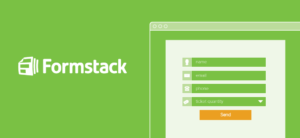
As your company grows, it may also be worthwhile to start using FormStack's full capabilities, which are nearly limitless, due to their ability to type in formulas, lines of code, and html content to create your dream short-form. Some heavy lifting may be required here dependent on the complexity of your form needs, but the end product will always be worth it! If you're having trouble building a form, you can always hire someone from UpWork, which is a simple scroll down this page ;)
WiseStamp

When people leave your company, simple remove them from your WiseStamp portal. When people join your company, simply login and "refresh" and all of your new email users will appear instantaneously. When someone gets promoted, update their title within the admin portal and they'll have gleaming satisfaction of seeing their new role already in their email signature the next time they send an email. It's the smallest things sometimes that can create a huge impact!
An awesome email signature that can be well organized is great for internal communication, but the most important piece that we haven't even touched on is what it can do for your external communication! That is - prospects, clients, partners, investors, and even your mom who's questioning your work at a startup and wants you to find a "real job". Yes, an awesome email signature can appease even the toughest of crowds and result in real impact, measurable ROI, and better client satisfaction and trust. It's well worth the $5/user per month - trust us.
LivePlan

When I started my first company, one of the biggest fears and deterrents of creating a business plan was that I didn't know the proper syntax, styling, or how to create pretty charts and graphs that would be indicative of our growth later on. All of what I just mentioned is what the LivePlan software helps you accomplish. It takes the guess work out of your financial projections, what items to account for in your cost of goods sold, etc. and breaks the entire process down into measurable easy tasks that result in a kick ass business plan that you're proud to bring to potential colleagues and investors.
RecruiterBox

For instance, if you have 50 candidates for a competitive role, RecruiterBox will tell you which of those candidates has completed testing, or a 1st interview, or which you've conducted reference checks on. It also has some really cool functionality that will automate messaging and testing of your preference to further qualify them for the role without having to personally reach out.
The software starts at $250.00 per month (up to 3 users) and goes up from there, so use it only to the extent that it makes financial sense. If you're a business of 7 going on 10, it may not hold it's weight but that entirely up to you to decide! Whereas, if you're a business of 50 going on 60, it's kind of a no-brainer when you account for the additional organization and functionality.
UpWork

You can post your job and usually within a few hours, you'll have freelancers that will submit their offers and qualifications. The other way to hire is to search out those people yourself by filtering through their network of freelancers. For instance, you can search for individuals who perform work within graphic design that have an average rating of 5 stars, and an average successful completion percentage of 98%+ who also have accreditation within various skill sets. No matter what type of business related activity or task you need done, there's going to be someone who can perform it on UpWork and most of the time, your online hire will be more cost-efficient and flexible than another full-time hire in-house!
- - -
I hope you've found these technology hacks valuable to your business and that you'll experiment and implement some of these into your organization's growth efforts. Keep in mind that most, if not all, of these software tools offer a free trial for 14 to 30 days!
What are some awesome technology hacks you're currently using within your business that we may have overlooked? We would love to hear about them!